Putting a Bobcat 300 into recovery mode#
Recovery mode is how the web flasher (and rkdeveloptool) reaches the unit over USB.
You do not need to open the case: the two buttons can be pressed through the slots in the side of it.
You need:
- the unit's power adapter,
- a micro-USB data cable (many cables only charge; if nothing shows up on your computer, try another one),
- a computer with a USB port,
- something small and thin to press the buttons: a straightened paper clip, a lock pick, or a stiff strip of folded paper.
The steps#
- Power the unit. Plug in the power adapter.
- Connect the USB cable. Plug the micro-USB cable into the unit's micro-USB port labelled COM, which is between the SD card slot (TF) and the Ethernet jack at the connector end of the case (see the photo below), and the other end into your computer.
- Hold the Recovery button down. Keep holding it.
- While still holding Recovery, quickly press and release Reset.
- Keep holding Recovery for about two seconds more, then let go.
The unit restarts, and your computer should now see a new USB device. See how to tell it worked.
Pressing Reset on its own just reboots the unit. If you let go of Recovery before Reset has been pressed, or never held it at all, the unit boots normally; try again.
Finding the buttons#
The buttons are two small tactile switches on the right-hand edge of the board when you face the power connector (the end of the case with the Ethernet, power and LoRa antenna connectors). Reset is the upper one and Recovery is the lower one, nearer the connectors.
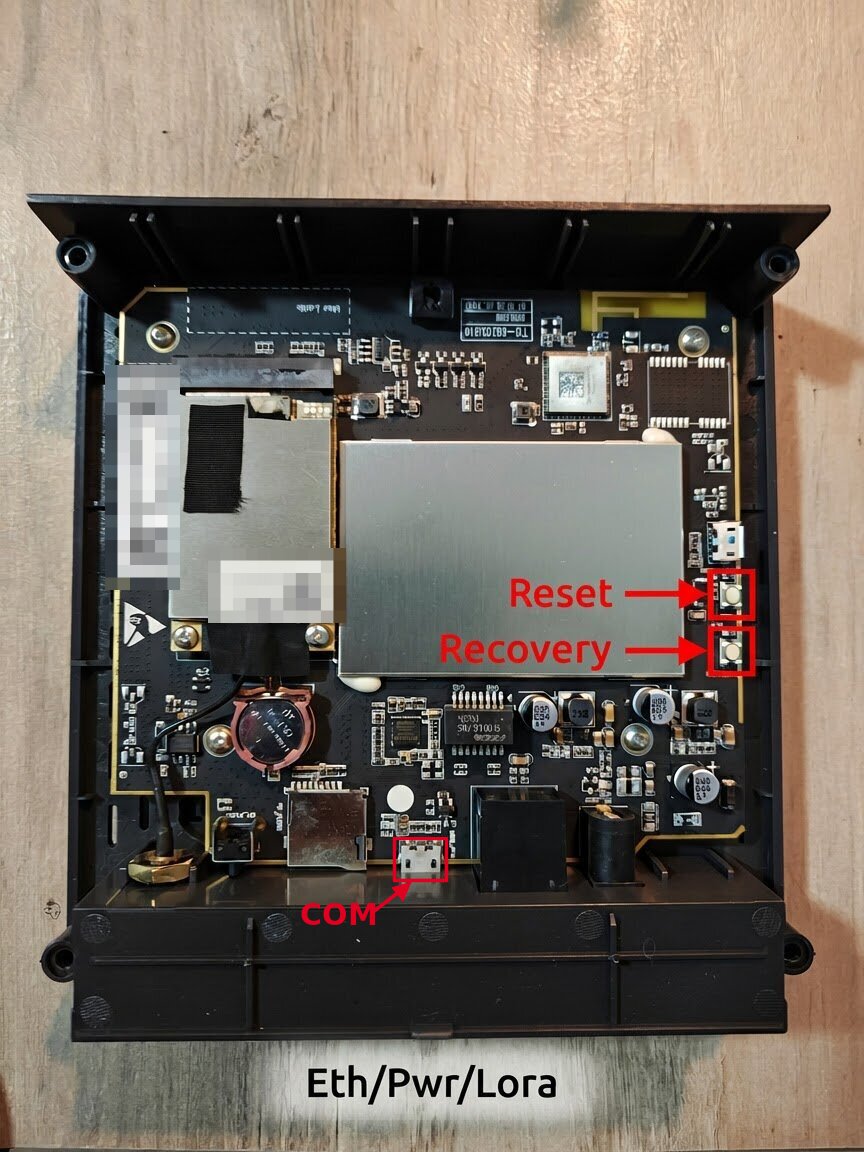
The board with the cover off, connector end at the bottom. Reset and Recovery are on the right-hand edge. The micro-USB port you connect to is the one marked COM, at the bottom edge between the SD card slot (TF) and the Ethernet jack.
With the cover on#
With the cover on, the buttons can be pressed by pushing your thin tool through the slots in the right-hand side of the case, as seen when facing the power connector.
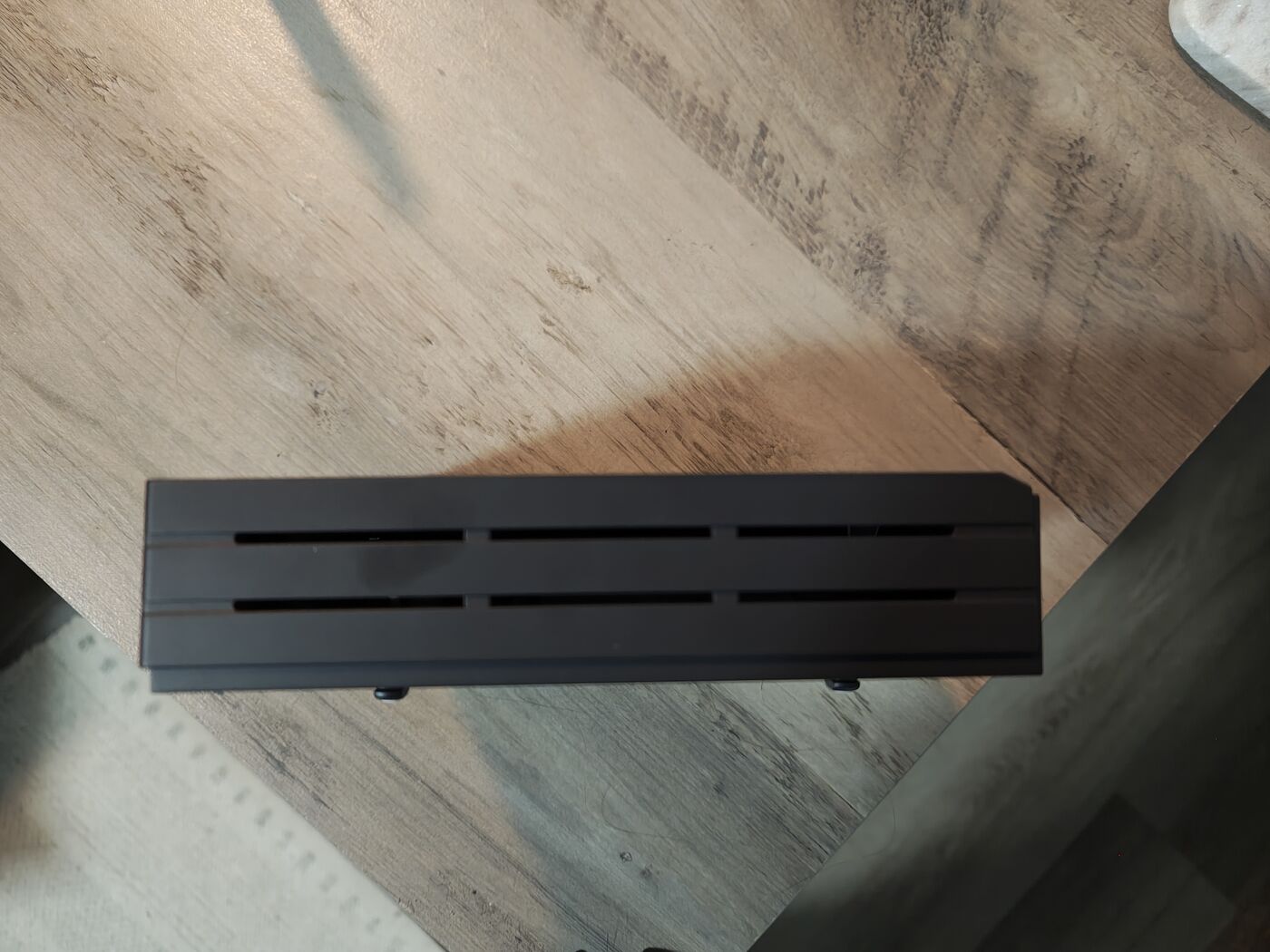
The side of the case with the slots.
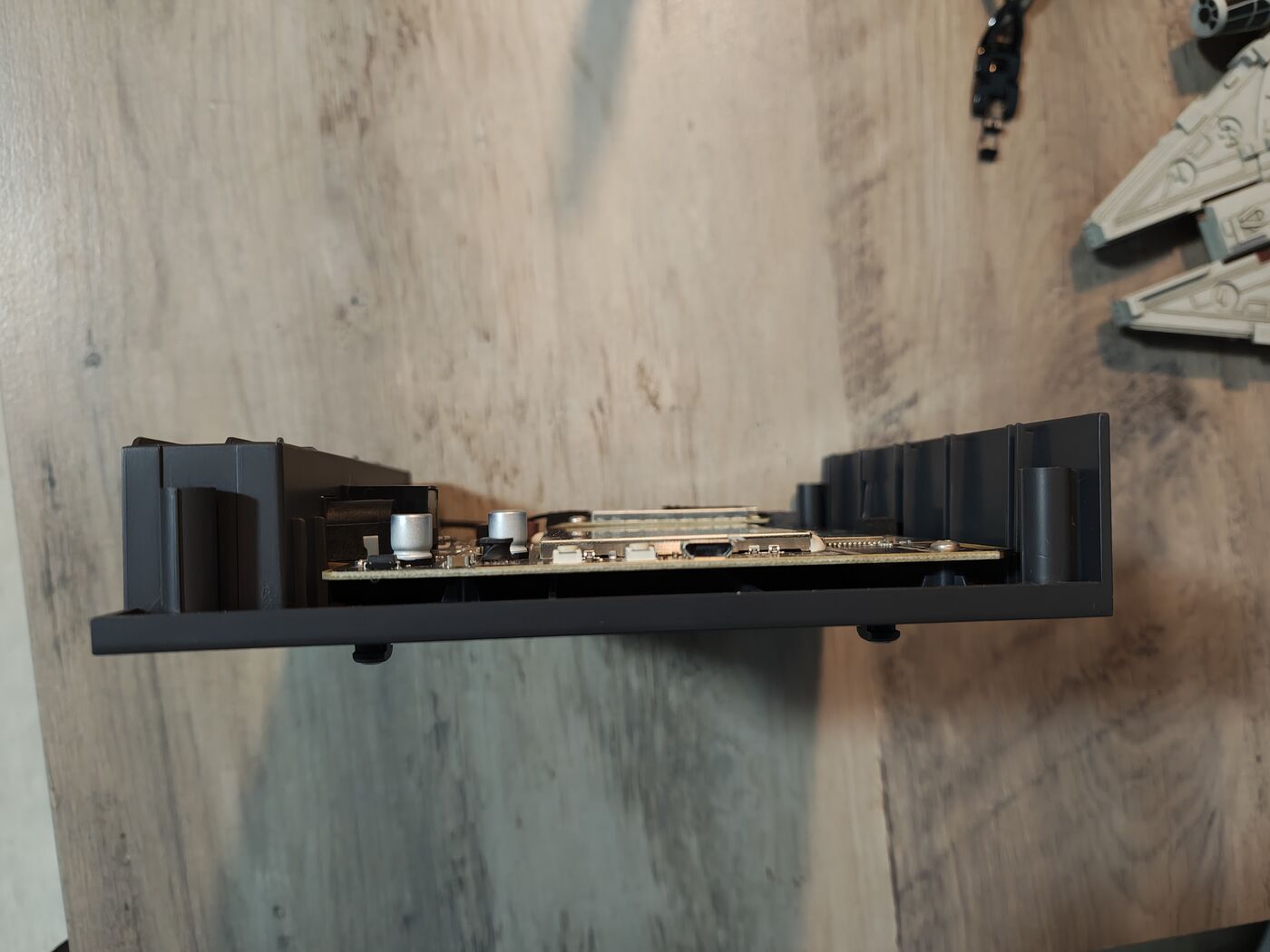
A side view of the board in the case: the buttons sit right at the edge of the board, so a thin tool reaches them through the slots. Push gently until you feel a click; they are small switches and need very little force.
You will probably need to feel around for each button the first time. If you are not sure which one you pressed, press the one you think is Reset on its own: the unit will reboot. The other one is Recovery.
How to tell it worked#
On your computer the board shows up as a USB device with vendor ID 2207 and product ID 350a.
| What you see | Meaning |
|---|---|
2207:350a, product name "USB download gadget", bcdDevice 0223 |
U-Boot download mode. This is what a unit that already runs the community image shows. The web flasher can use it directly. |
2207:350a with no product name, bcdDevice 0100 |
Maskrom, the chip's built-in mode. A unit that still has the factory firmware shows this. The web flasher sends it a small loader first, then carries on. |
2207:350a, product name USB-MSC |
A loader is running (Maskrom after the loader stage). Normal during a flash. |
| nothing | Not in recovery mode. See below. |
Linux:
lsusb -d 2207:350a                    # present?
cat /sys/bus/usb/devices/*/bcdDevice  # 0223 = download mode, 0100 = Maskrom
Chrome and Edge also need permission to open the device. Add a udev rule, for example in /etc/udev/rules.d/99-bobcat.rules:
SUBSYSTEM=="usb", ATTR{idVendor}=="2207", MODE="0666"
SUBSYSTEM=="usb", ATTR{idVendor}=="18d1", ATTR{idProduct}=="4d00", MODE="0666"
Windows: the device needs the WinUSB driver (for example installed with Zadig), or the browser cannot open it.
macOS: usually works without anything extra.
In the web flasher, press Connect and choose the device named USB download gadget (or the one with no name, for a factory unit).
If nothing shows up#
- Try a different USB cable. A charge-only cable is the most common cause.
- Make sure the cable is in the micro-USB port labelled COM (between the SD card slot and the Ethernet jack), and try a different USB port on the computer.
- Repeat the steps with a firmer, more deliberate timing: Recovery held before Reset is pressed, and kept held for about two seconds after Reset is released.
- Power-cycle the unit (unplug the power, wait five seconds, plug it back in) and start again from step 1.
- Check which mode you actually got (table above). A device with no product name is not a failure: that is Maskrom.
Getting back to normal#
Recovery mode does not change anything by itself. To leave it, press Reset on its own or power-cycle the unit. If a flash completed, the unit boots into the new system.
For reference#
- From U-Boot's download mode, a unit can be sent back to Maskrom with
rkdeveloptool rd 3. - More about what the two modes can and cannot do, and why the flasher works in two phases:
usb-flashing.md. - Rescuing a unit whose bootloader is damaged:
maskrom-recovery.md.